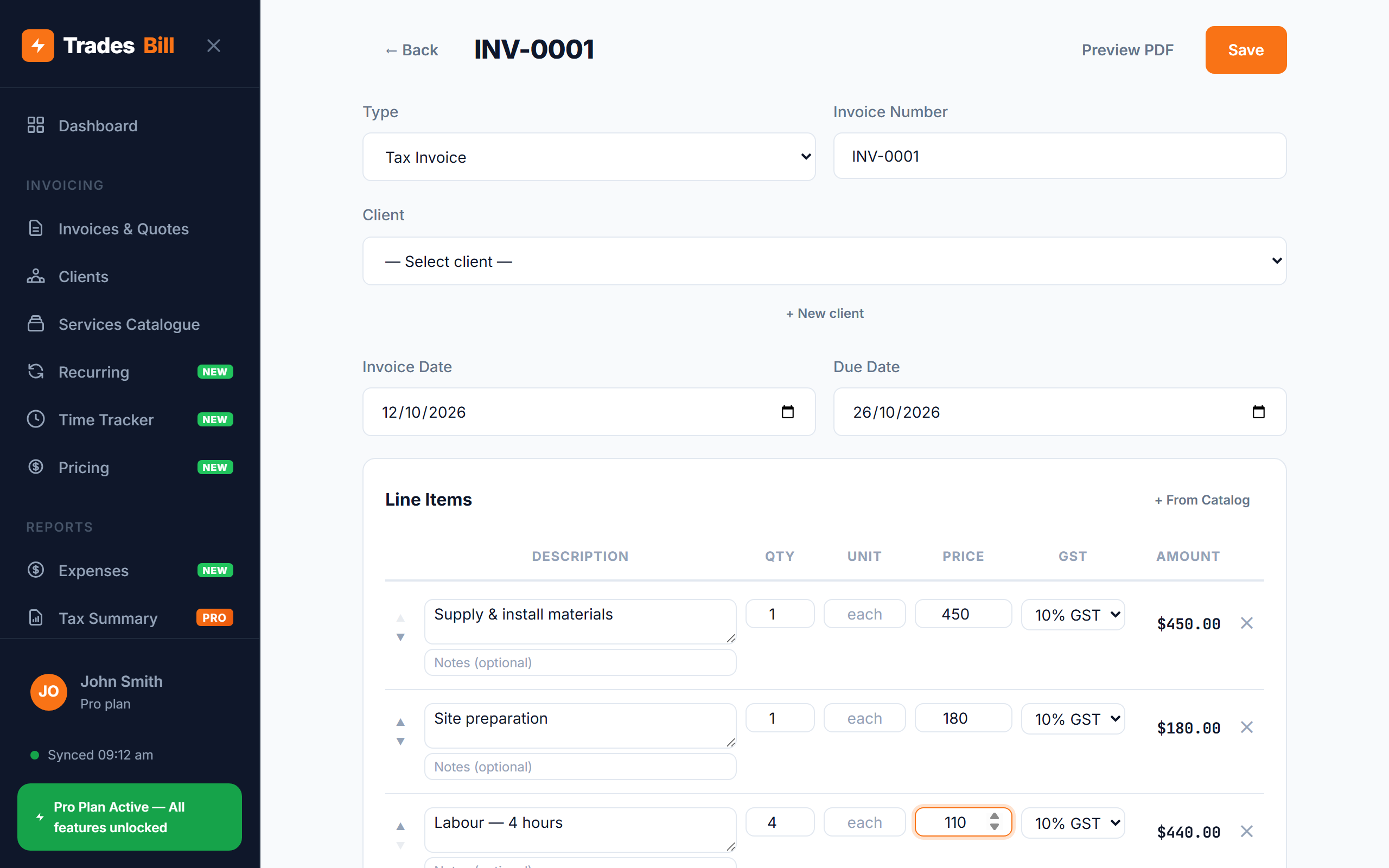
An invoice is the last thing you do on a job — and the thing that decides how fast you get paid. If you're wondering how to write an invoice in Australia that customers pay without questions, the answer is simple: include the right details, make the numbers easy to follow, and tell the customer exactly how and when to pay. Miss something and the invoice sits in someone's inbox while they wait for you to fix it.
This guide walks through every part of an invoice in order, what changes if you're registered for GST, a sample layout you can copy, and the mistakes that slow down payment. Bookmark it and run through the checklist before you hit send.
How to write an invoice in Australia: the quick checklist
Here's everything a tradie invoice should have. The sections below explain each one.
- The word "Invoice" (or "Tax Invoice" if you're GST-registered) at the top.
- Your business details — business or trading name, ABN, phone, email and address.
- Your customer's details — name, and the site address for the job.
- A unique invoice number — numbered in sequence.
- The invoice date — the date you issue it.
- A clear description of the work — labour, materials and any call-out fee.
- Quantities and prices for each line item.
- GST — shown separately if you're registered.
- The total amount due.
- The due date or payment terms — e.g. "Due within 14 days".
- How to pay — BSB and account number, a payment link, and the reference to use.
Step 1: Get your business and customer details right
Start with who the invoice is from and who it's for. On your side, put your business or trading name and your ABN. Customers who are businesses need your ABN — if it's missing, they may be required to withhold tax from your payment (see can you invoice without an ABN?). Add your phone and email so they can contact you if something doesn't look right.
For the customer, include their name and the site address where you did the work. If you're billing a builder, real estate agent or property manager, add their business name and any job or work order number they gave you — many of them can't process an invoice without it.
Step 2: Number and date the invoice
Every invoice needs its own number. Keep them in sequence (INV-0001, INV-0002…) and never reuse one. Sequential numbers make it easy to match payments, spot gaps, and find an invoice quickly if the customer or the ATO asks about it.
The invoice date is the day you issue it, not the day you started the job. If the work happened over several days, put the dates of work in the description instead.
Step 3: Describe the work clearly
This is where most payment delays start. "Plumbing work — $880" invites questions. A clear breakdown answers them before they're asked. Split the job into line items with a description, quantity, unit price and amount for each:
| Description | Qty | Unit price | Amount |
|---|---|---|---|
| Call-out fee | 1 | $90.00 | $90.00 |
| Labour — replace hot water system (hours) | 3 | $110.00 | $330.00 |
| 250L electric hot water unit | 1 | $1,250.00 | $1,250.00 |
| Fittings, valves and sundries | 1 | $80.00 | $80.00 |
| Subtotal | $1,750.00 | ||
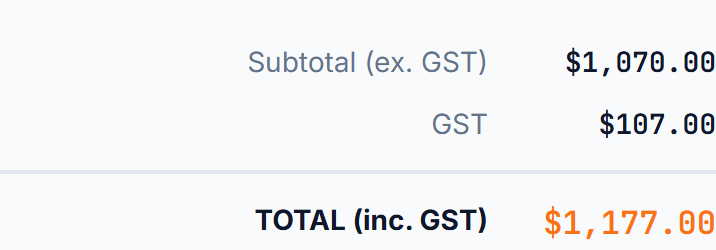
| GST (10%) | $175.00 | ||
| Total due | $1,925.00 | ||
If the job was quoted, reference the quote number and make sure the invoice matches it. Any extras or variations the customer approved along the way should be their own line items, so they can see why the total differs from the quote. (More on that in quote vs invoice.)
Step 4: Add GST — if you're registered
If you're registered for GST, add 10% to your taxable line items and show the GST amount separately, as in the example above. Not sure how to work it out? Our guide on how to calculate GST on an invoice covers adding GST, removing it from a GST-inclusive price, and rounding.
If you're not registered for GST, don't add GST and don't call the document a "Tax Invoice" — title it "Invoice". You can add a note like "No GST has been charged" so the customer isn't left wondering. Check the GST registration threshold to see whether you need to register.
GST-registered? Your invoice may need to be a tax invoice. For sales over $82.50 (including GST), your customer is entitled to a tax invoice, and the ATO sets out specific details it must show — including your ABN, the GST amount, and the buyer's identity or ABN for sales of $1,000 or more. The full list is in our guide to what a tax invoice must include.
Step 5: Set payment terms and tell them how to pay
An invoice without a due date gets paid "whenever". Put a clear due date or payment terms on every invoice — "Due on completion", "Due within 7 days" or a specific date. Our guide to invoice payment terms explains which terms suit which customers.
Then make paying as easy as possible:
- Your account name, BSB and account number.
- A payment reference — usually the invoice number — so you can match the payment.
- A card payment link if you accept cards.
- Any late payment fee, if you charge one and it was agreed upfront (see how to charge a late payment fee).
Step 6: Send it — and keep a copy
Send the invoice as soon as the job is done, while the work is fresh in the customer's mind. A PDF by email or text is standard; the customer can open it on their phone and pay on the spot.
Keep a copy of every invoice you issue. The ATO generally requires you to keep business records, including invoices, for five years. Storing them in an app rather than a folder of paper means you can find any invoice in seconds when it's time to do your BAS.
Common mistakes when writing an invoice
- Leaving off your ABN — business customers may withhold tax or hold the payment.
- Vague descriptions — "work as discussed" leads to phone calls instead of payment.
- Duplicate or skipped invoice numbers — messy for your records and confusing for customers.
- Calling it a "Tax Invoice" when you're not GST-registered — or charging GST you aren't registered for.
- No due date — customers pay the invoices with deadlines first.
- Maths errors — a wrong total is the fastest way to lose a customer's trust.
- Sending it days or weeks late — the later you invoice, the later you're paid.
Most of these come down to doing it by hand. A free invoice app for tradies fills in your business details and ABN automatically, numbers invoices in sequence, does the GST maths, and adds your payment details to every invoice — so the checklist takes care of itself.
Write a complete invoice in under a minute
TradesBill adds your ABN and bank details automatically, calculates GST, numbers every invoice in order and sends a professional PDF straight from your phone. Free forever, works offline.
Create your first invoice — FreeFrequently asked questions
Can I write an invoice without an ABN?
You can, but business customers may have to withhold tax from your payment at the top rate if you don't quote an ABN. Most tradies should get an ABN — it's free to apply for. See invoicing without an ABN for the details.
What's the difference between an invoice and a tax invoice?
A tax invoice is an invoice issued by a GST-registered business that shows the details the ATO requires, including the GST amount. If you're not registered for GST, you issue a regular invoice instead.
Does an invoice have to be on letterhead or include a logo?
No. A logo looks professional, but it isn't required. What matters is that the required details are all there and easy to read.
Can I handwrite an invoice?
Yes, as long as it includes all the right details. In practice, a digital invoice is quicker to send, easier to keep for five years, and far less likely to have a maths error.
TradesBill is not a registered tax agent. This article is general information only — check with a registered tax agent or BAS agent for advice on your situation.